
KING777 Game Overview
KING777 Game is an Android-based multi-game application described as featuring Aviator, JILI, Slots, Fishing, Rummy, Teen Patti and other card-style games. The KING777 App brings the game lobby together with mobile sign-in, account settings and wallet records. This independent information guide covers the listed features, APK details and security checks without promising results or rewards.
People searching for KING777 can use this page to understand the reported Android version, compare app screens and find login, download and troubleshooting information. The supplied material describes SMS verification, password settings, VIP activities and transaction history; availability should be confirmed in the actual app.
KING777 Game Information
Games & Features Available in KING777 Game
The information supplied for KING777 identifies Aviator, JILI, Slots, Fishing, Rummy and Teen Patti, and lists other card or quick-round formats. The four original screenshots show mobile access and app screens; they do not independently verify the availability of every title across releases.
KING777 Game Categories Explained
- Aviator: A crash-style multiplier format; timing and outcomes are not guaranteed.
- JILI games: Provider-based games that may include reels or interactive arcade formats.
- Slots: Reel-based games with individual symbol sets, rounds and payout conditions.
- Fishing: Arcade-type games using changing targets and on-screen controls.
- Rummy: Card play involving sets and sequences with variant-specific rules.
- Teen Patti: Three-card games with different hand rankings.
- Poker: Card formats with hand comparisons and rules that depend on the title.
- Other listed formats: Dragon Tiger, Plinko, Mines and other quick-round titles appear in the source description; current availability is not verified.
Names, providers and game availability can change. A game appearing on this page does not establish availability in a specific region or whether real-money play is permitted.
KING777 Download for Android
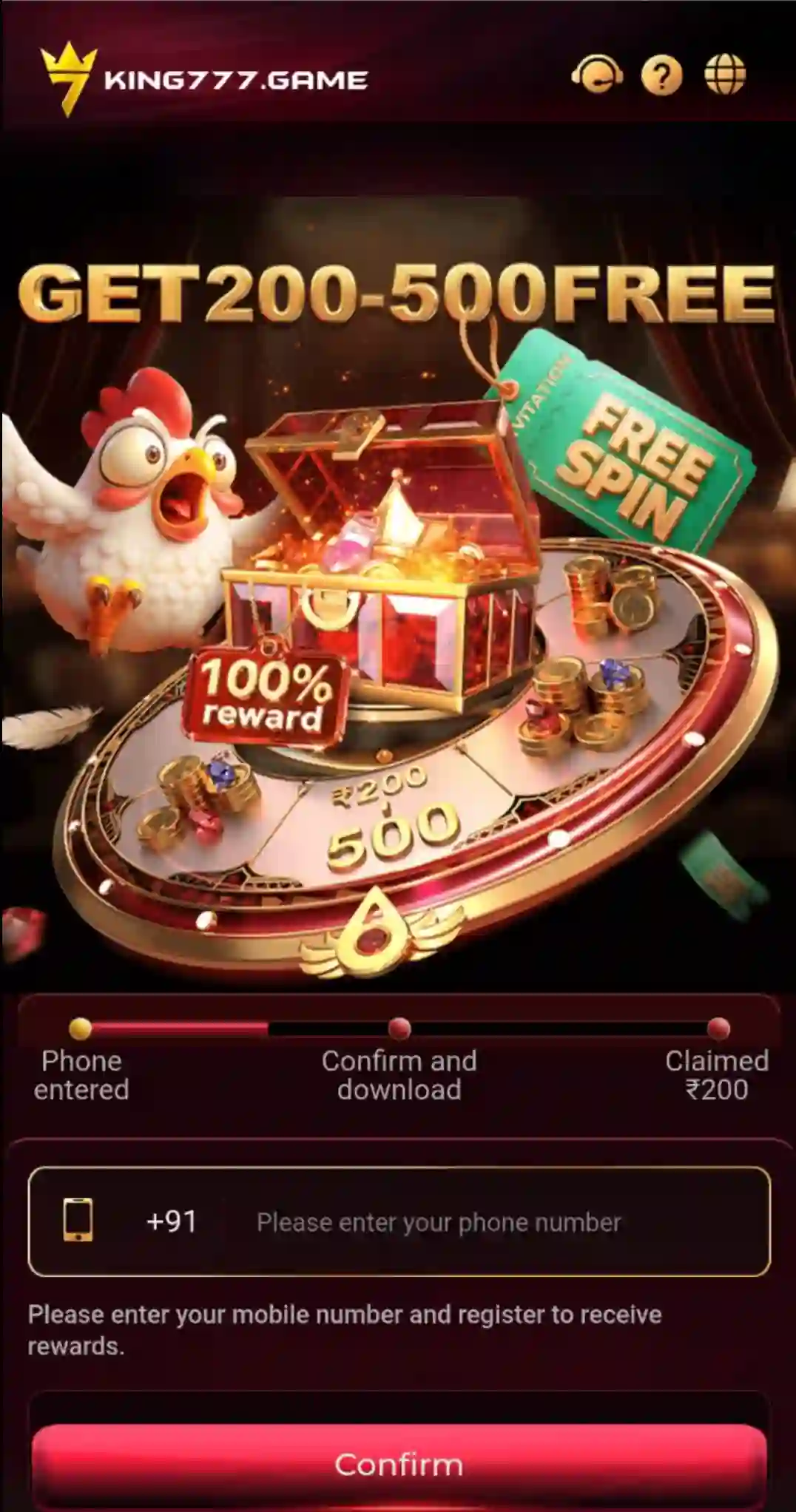
The KING777 Download section explains the Android APK download process described in the supplied game information. A KING777 Game Download page may ask for mobile-number confirmation before providing a file. Review the source and privacy information before entering personal details.
A search for KING777 APK Download or KING777 App Download generally concerns the Android installation package, not a Google Play verification. Confirm the file source, check Android security alerts and make sure the download finishes before opening it.
How to Download KING777 Game
- Open the KING777 download link and verify that the destination is the one you intended.
- Enter your mobile number only after checking the page and its privacy terms.
- Review your number and select Confirm if you choose to proceed.
- Wait for the Android APK file to finish downloading.
- Find the downloaded file in Browser Downloads or Android File Manager.
- Do not install the file if its publisher or authenticity cannot be established.
Once the download is complete, the APK is ready for installation. Android installation permissions and setup instructions are covered in the next section.
KING777 APK Download & Installation
The KING777 APK is described as the Android installation package for KING777 Game. The term KING777 Game APK refers to that same installation file; it is not necessarily a different app or a different version. The supplied details list version 2.3.2 and a file size of 21.87 MB, which should be checked against the actual package.
How to Install KING777 APK
- Open Downloads or File Manager on your Android phone.
- Find and tap the downloaded KING777 APK file.
- If prompted, allow Install Unknown Apps for the browser or File Manager.
- Review Android's security warning and tap Install if you trust the file.
- Wait for the installation to finish, then tap Open.
Installation settings may differ depending on the Android device and version.
KING777 APK Installation Problems
- App Not Installed: Check available storage, APK compatibility and existing installations.
- Parsing Error: The APK may be incomplete, damaged or incompatible. Download a fresh copy from the intended source.
- Installation Blocked: Review Android's security warning and installation settings. Do not bypass malware warnings.
- Insufficient Storage: Free up space and try again.
- App Not Opening: Restart the phone and check whether the installed version supports your device.
KING777 App Features & Navigation
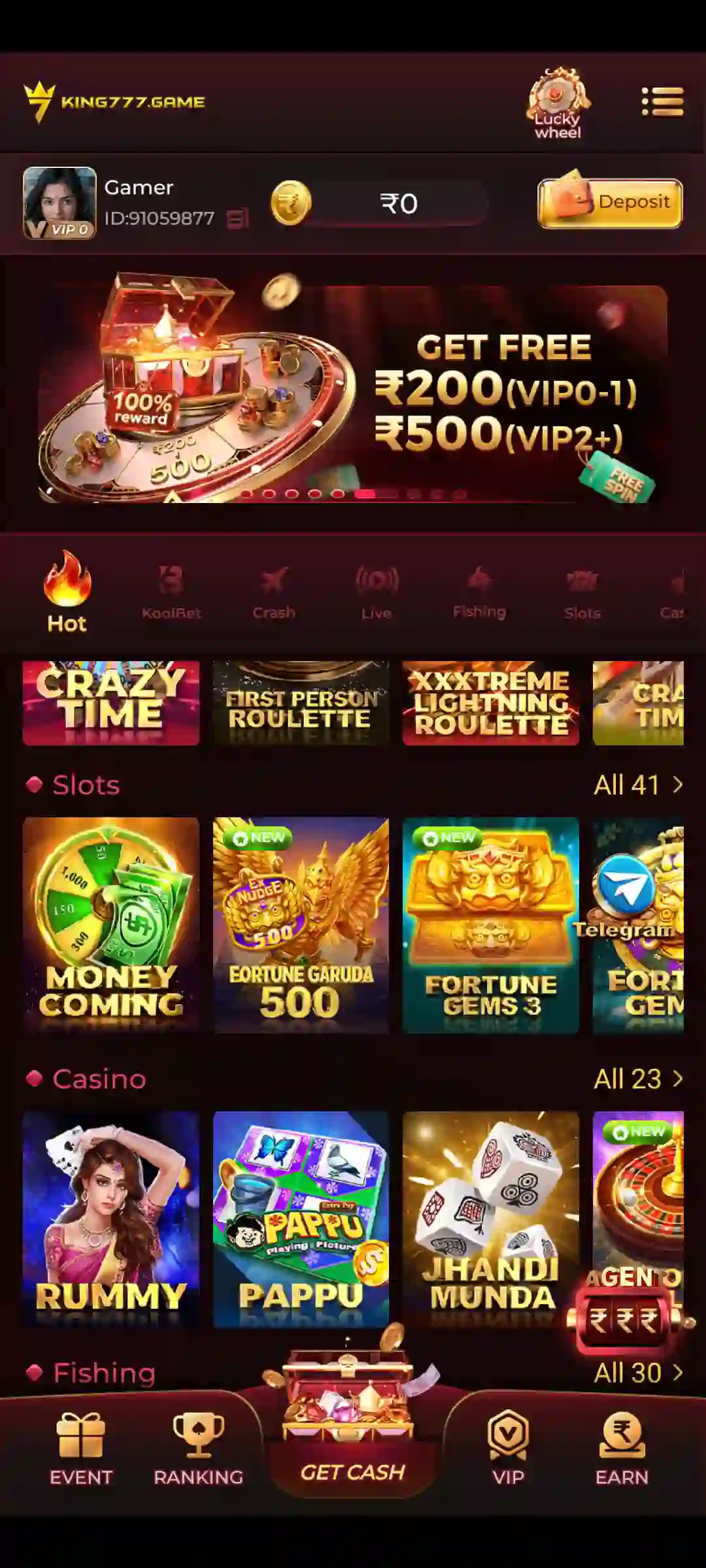
The KING777 App is described as offering a game lobby, My Profile, wallet/balance records and help tools. In the provided KING777 account guide, navigation includes Hot, Slots, Poker, Fishing and Casino tabs. Interface labels may vary by release; compare them with the four original screenshots and the installed version.
My Profile & Account Settings
- Account & Security: Manage password and login settings.
- Personal Information: Review available profile details.
- Balance Records: Check account transactions and wallet history.
- Notifications: View account messages and updates.
KING777 App Screenshots
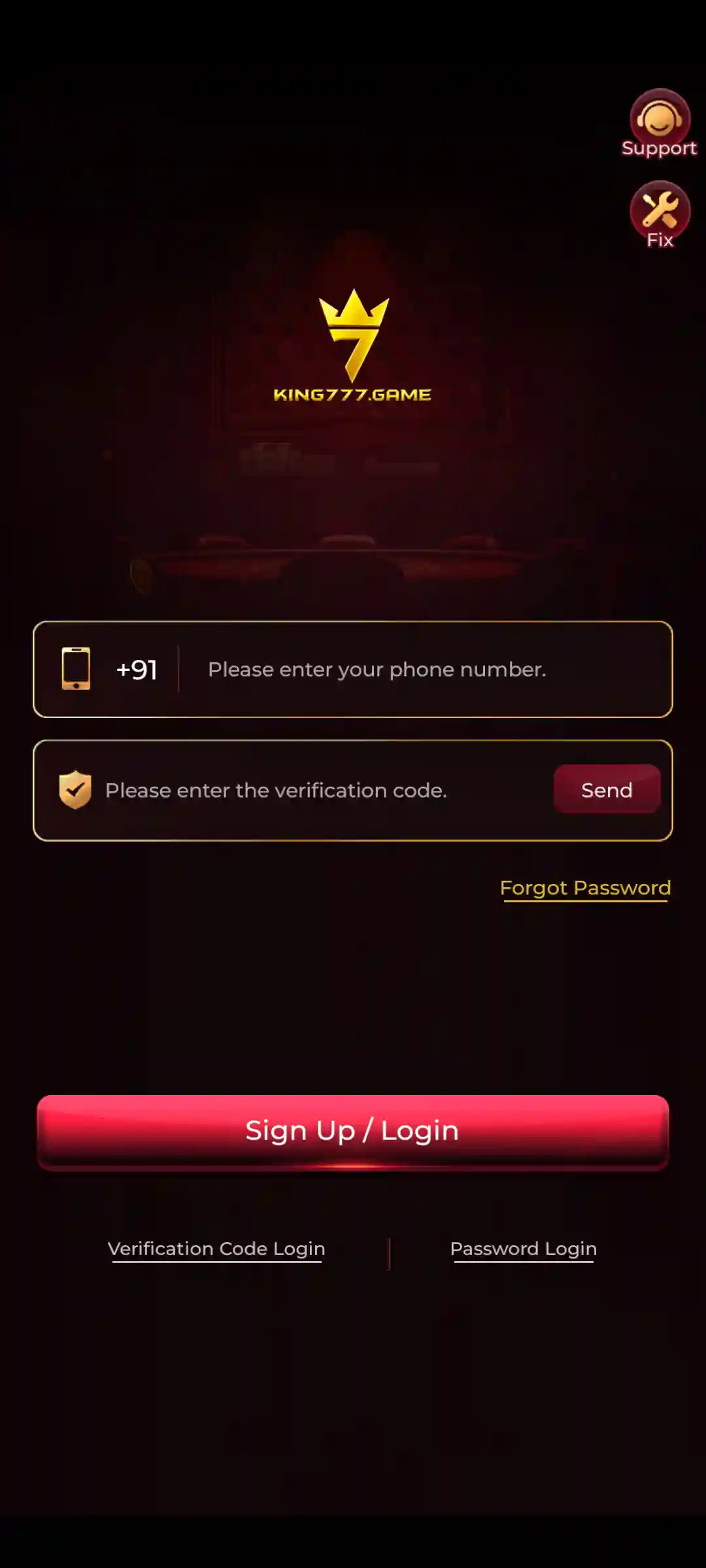
Six KING777 screenshots show the mobile-number confirmation prompt, game interface, login, game selection, promotions and game-category home screen. The images are supplied snapshots, not independent proof of the current app release.

KING777 Login & Registration
KING777 Game Login uses mobile number verification to provide account access. New users can complete their first login through SMS OTP verification and set an 8–32 character password for future sign-ins. Existing users can log in with their saved password or use the available OTP option.
How to Register & Login to KING777
- Open KING777 Game and select Login.
- Enter your mobile number and tap Send.
- Enter the SMS OTP received on your phone.
- Complete verification to access your account.
- Open My Profile → Account & Security to set your login password.
How to Set KING777 Login Password
- Go to My Profile → Account & Security → Login Password.
- Enter your registered mobile number.
- Tap Send and enter the SMS verification code.
- Create a password containing 8–32 characters.
- Confirm the password and tap Complete.
Forgot KING777 Login Password?
Select Forgot Password, verify your registered mobile number using SMS OTP, and create a new password containing 8–32 characters.
KING777 Game Bonus & Rewards
The supplied KING777 material references first-deposit activities, VIP rewards, gift-code redemption and referral-related menus. This article cannot establish that any offer is currently active or that credited rewards are withdrawable. Check current eligibility and restrictions rather than relying on promotional claims.
Open Promotions to see available bonuses, claim requirements and reward records. Read the conditions before claiming any offer.
KING777 First Deposit Bonus
The Deposit screen shows payment amounts and associated offers. Check the eligibility and turnover conditions before confirming a first deposit.
- Open KING777 and go to Wallet → Deposit.
- Check the available deposit amounts and bonus details.
- Select an amount and review the payment information.
- Complete the payment using an available method.
- Check the wallet balance and reward records.
A deposit bonus may have wagering requirements before the related funds become withdrawable.
KING777 Deposit Guide
KING777 Game Deposit allows users to add funds to their gaming wallet through the payment methods available in the platform. The deposit section supports UPI-based payments, including Paytm and PhonePe, with payment details displayed for the selected transaction.
Check the amount and recipient on the current deposit order before making a payment. Keep the UTR until the credit appears in Balance Records.
How to Deposit Money in KING777
- Open KING777 Game and go to Wallet → Deposit.
- Enter or select the deposit amount.
- Choose the available payment method, such as UPI, Paytm, or PhonePe.
- Follow the displayed QR code or payment instructions.
- Complete the payment and copy the UTR / Transaction Reference Number.
- Submit the UTR if requested and check your wallet balance.
KING777 Deposit Not Received?
- Check whether the UPI transaction was successful.
- Confirm the recipient details and deposit status.
- Review Balance Records and the submitted UTR.
- Keep the payment receipt or transaction screenshot.
- Contact support with the amount, payment time, and reference number.
Avoid making a second payment for the same pending order until its status is clear.
KING777 Withdrawal Guide
KING777 Game Withdrawal allows users to request a transfer of their available withdrawable balance to a linked bank account. Before submitting a request, users should check their bank details, withdrawal limits, and any account requirements displayed in the platform.
How to Add a Bank Account in KING777
- Open My Profile → Account & Security → Bank Account.
- Select Add Bank Account.
- Enter the account holder's name and bank account number.
- Select the bank and enter the correct IFSC Code.
- Review the details and complete the required verification.
- Save the bank account information.
Incorrect information may delay or prevent a transfer.
How to Withdraw Money from KING777
- Open KING777 Game and go to Wallet → Withdraw.
- Check the available withdrawable balance.
- Select your linked bank account.
- Enter the withdrawal amount within the displayed limits.
- Review the details and tap Confirm.
- Check the withdrawal status in Balance Records.
Withdrawable Balance & VIP Limits
- Wallet Balance: Total balance displayed in the account.
- Withdrawable Balance: Funds currently eligible for withdrawal.
- Minimum Withdrawal: The smallest amount accepted for a request.
- Maximum Withdrawal: The permitted amount under current account limits.
- VIP Limits: Conditions associated with the user's VIP level.
- Turnover Requirements: Qualifying activity affecting withdrawal eligibility.
KING777 Withdrawal Pending or Failed?
- Check the request status in Balance Records.
- Verify the bank account number and IFSC Code.
- Review the withdrawable balance, limits, and outstanding requirements.
- Keep the withdrawal reference and transaction details.
- Contact customer support if the request remains unresolved.
Avoid submitting repeated withdrawal requests while an existing request is pending.
KING777 App Version & Update Information
The supplied KING777 HTML reports Android version 2.3.2 and an APK file size of 21.87 MB. These are source-reported details, not independently verified as the latest available release. Compare the app information on the installed package before updating.
Compare the installed app with the download being offered. Do not remove the existing installation before checking account recovery access.
How to Check KING777 App Version
- Open KING777 Game and look for version information in available app settings.
- Alternatively, go to Android Settings → Apps → KING777 Game → App Info.
- Compare the installed version with the details in the Game Information Box above.
How to Update KING777 Game
- Check the version currently installed on your phone.
- Open the KING777 download page.
- Download the available updated APK.
- Open the file and follow Android's installation instructions.
- Launch KING777 and check that your account is accessible.
Avoid uninstalling the existing app unless necessary, especially if you have not confirmed your account recovery details.
KING777 App Problems & Troubleshooting
When KING777 does not work as expected, identify whether the problem affects download, installation, account verification, a game or a payment record. Each needs a different check.
Restart the app, check device storage and compatibility, and compare the installed version.
Test connectivity, reopen the app and check whether only one provider or the whole lobby is affected.
Check mobile number, SIM reception, message filtering and resend limits.
Use the recognised password-reset process instead of repeated guesses.
Inspect Balance Records and payment references before initiating another payment.
Check free space, APK completeness, version compatibility and installation conflicts.
KING777 APK & Account Safety
APK installation and wallet access need separate checks: verify the installation source, then protect your login and payment information.
- Use the intended access source and confirm the file before installation.
- Review permission requests and never install a suspicious modified package.
- Keep your password, mobile verification codes and UPI PIN private.
- Check the payee name and amount on each payment confirmation screen.
- Avoid claims of fixed results, guaranteed wins, prediction bots or unlimited balances.
- Do not leave your account signed in on a shared device.
Responsible Gaming & Customer Support
Online gaming should not be treated as a source of guaranteed income. Where real-money participation is offered, losses can occur. Check local legal requirements, eligibility restrictions and the current platform rules before taking part.
- Set spending and time limits before starting.
- Do not chase losses or borrow money to play.
- Check game rules, bonus conditions and withdrawal restrictions.
- Take breaks and stop if playing is affecting everyday responsibilities.
- Use the app's Live Support, Help or Ticket menu for account problems, and keep a clear record of the issue.
KING777 Game FAQs
What is KING777 Game?
KING777 is described in the supplied material as an Android multi-game platform combining game categories with mobile account and wallet-record tools.
What game types are described for KING777?
The source lists Aviator, JILI, Slots, Fishing, Rummy, Teen Patti and other card-style titles. Their availability can change.
Is KING777 Game APK different from KING777 APK?
Both names refer to the Android installation package described for KING777. The supplied HTML reports version 2.3.2 and 21.87 MB; verify the downloaded file and source separately.
What account login options are described?
The page describes SMS verification-code login and password login using a registered mobile number. Never share an OTP.
Where is the KING777 login password setting?
The source names My Profile → Account & Security → Login Password; the installed interface might label this differently.
What if a KING777 OTP does not arrive?
Confirm the phone number and mobile signal, review SMS filtering and resend limits, then use the in-app support option if necessary.
How can I check a missing payment or withdrawal record?
Compare the in-app record with the relevant bank or payment statement and keep a transaction reference. Do not disclose passwords or UPI PINs.
Are rewards or guaranteed-win APKs reliable?
No payout is guaranteed. Read current terms, avoid modified APKs and do not trust prediction tools or fixed-result promises.